Roogle Search

Custom Search
Showing posts with label project. Show all posts

Thursday, November 19, 2009

Boba Fett Wallpaper and Gimp Software

A friend asked me to make him a boba fett background / wallpaper for his G1 (first phone to run the android operating system on a phone) and when i finish i decided to post it on here... none of the drawings are mine i just used gimp program (its just like photoshop but FREE!) to edit the pictures and put them together... in no way am i claiming this as my original work... i just wanted to share my monstrosity with others...

A thank you goes out to all the original creators

and here it is!


clicky for biggie

it is done in 800 x 600. each image was edited with gimp 2.0...

i am by no means a "experienced" artist so pretty much all credit goes to the original artists and gimp.. all i did was use my imagination to throw it all together

--=-=-=-=-=-=-=
Gimp 2.0
-=-=-=-=-=-=-=-

Gimp is a free "image manipulation program" that goes in the GNU project (hence the name G.I.M.P - Gnu Image Manipulation Program) ... it is open source which means anyone with the know how can add on to it and create for it.

this program for more or less is just like adobe photoshop but free and is usable by all the main operating systems..... why pay 600$ or even 1000$ for a program like that just to have to pay more to upgrade it later down the line. this does just about everything photoshop does and if it doesn't... well then there is an add on for that, that someone made for you for free. new things get uploaded for gimp all the time from simple things like brushes to filters to plugins...

so please if you are wanting to get a good image editor then grab gimp. and if you are feeling generous and enjoy the program then by all means go to their site and make a small donation... its a hell of a lot cheaper than buying a 600$ program.

-==-=-=-=-=-=
Back to Star wars!
-=-=-=-=-=-=-

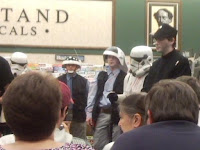
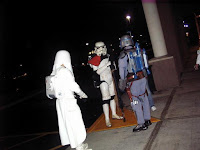
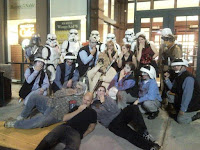
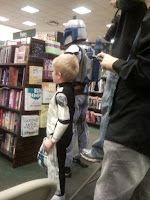
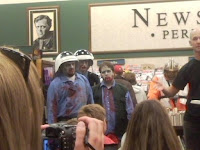
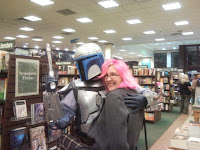
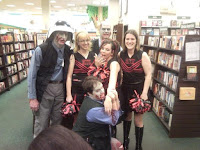
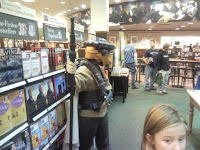
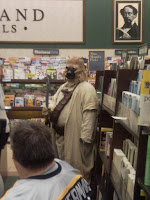
a little while back the writer for star wars death troopers was in town and there was some star wars characters there so i am going to share my pictures of that night with you... it was fun... by the way if you don't know what death troopers is about, its about zombies and star wars...
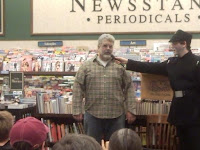
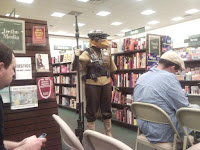
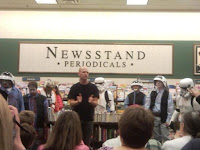
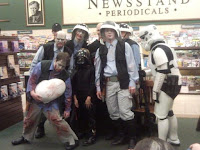
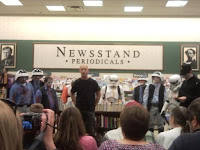
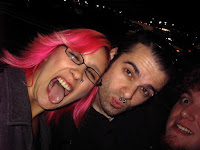
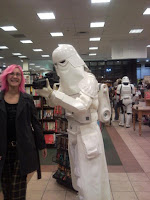
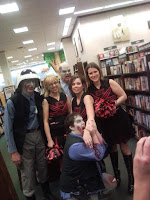
this is everyone for a group picture...
the writer is in front laying on the ground in the black shirt
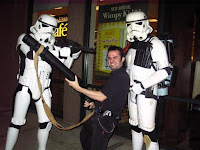

This is me with the biggest gun around! BOOM!
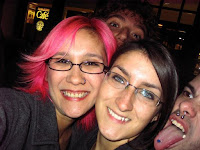

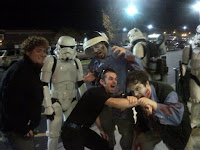
this is some of my friend that joined me
from left to right
Darth Oholic - Darth Frytzel (in back) - Darth Twitter Butt -
and me Darth Roostar
=-=-=-=-=-=

--== Rooster's Random Hen ==--

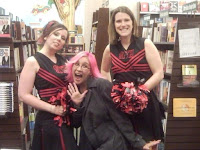
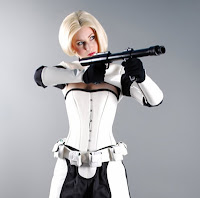
seeing how this was mainly about star wars i decided that there is nothing better to put here than hot girls dressed as people from star wars!


soooo yeah here we go!

-theme song starts-

dun dun dununa DUUN dun dununa DUUN dun dununaaaa


Tuesday, April 28, 2009

App reviews (mymobiler and pocketwit)

hellos to all you app tards... as some of you already know these are all reviews about apps im using on my samsung omnia i910. if you are using a different phone i can not guarantee that these apps will work the same or worse. if there is an app you would like me to try please leave me a comment with the name of it and where i can download it.

first up: MyMobilier

this app is pretty nifty for those of you that create things on your phone or for those of you who dont want to switch back and forward between cell phone an computer.

for me i have been using it to take screen shots of the interface i have been making using wad (click here to see) and also to record video of your display screen (click here to see). but i also use it to text message on my phone but using my computer keyboard. let me demonstrate with a picture....


in that picture you see the blog i am writing and the mymobilier program. the program is currently showing my buddy randy's tweets that come in on a text message. well on the phone if i set the input to keyboard mode i can just click in the type box and type out my message quick and easily... you can do just about anything on this program that you do on your phone. you can go threw your contacts, text messages, picture, file explorer, just like you were doing it with your finger but the only deference is your using a mouse for quicker and easier access... the only thing i have noticed so far that you cant do is use the camera to record or take pictures when your using the program. you can access the camera it just doesnt show up on your monitor. it still works just fine on the phone. and if your recording your phone screen with the video record function it for some reason plays it back much faster than what you were actually doing it... but you can use windows movie maker to slow it down... thats what i did at least.

so all in all this is a direct way to access your phone without having to actually pick up your phone... there are 2 ways to access your phone. active sync or you can use the ip address. both work just fine. for me this is one of those must have apps. so check it out for yourself

=-=-=-=-=-=-=

next! : PockeTwit

for all of you twitter fans out there this is a must have(if you dont know what twitter or want to see a neat twitter project click here). if you use twitter a lot or would like just have it for on the go more than just their text message service then this is the app you need.. i prefer using this than the site itself...

with pocketwit you can send out a post from anywhere, check your time line from anywhere, and even look up local posts... well as long as you have a dataplan otherwise you need wifi... you can quote and RT (re-tweet {resend posts}) other members posts, you can write your own post and add links and pictures and it will automatically shorten the link and use twitpic for you. you can also use the geotag with your gps.

the interface is really nice to where you can scroll threw your friends timeline with a flick of a finger. it has plenty of options and even change the colors of the interface. it is even update friendly by telling you there is an update and you can choose to quickly install it or pass.

for those of you that have multiple twitter accounts you can easily select which twitter account you are viewing or even quickly switch from one to another to make a post.

so those of you that have twitter and want to have it on the go check out this app it will satisfy all of your twittin needs

Wednesday, April 22, 2009

starwars interface update 1

=-=-==-= continued from the blog before this click here -==-=-=-=-=-=
so i have been working on a interface for my omnia using wad2 for a few days and i would say im about 65% done... if i was working non stop i would have been done yesterday but we all know how i get bored with doing shit after so long.

BUT your in luck... i will show you the default main page just so you can see what i have so far.. its still a work in progress... all the stuff at the top will be changed and the tree image will be changed. the 36 is the "feels like" temperature and when you click on it, it takes you to the weather dock which gives you the weather for the next few days... each picture or word makes a dock slide out that has other options or shortcuts.


When i finish it all i will make a video of it all and actually going threw all the menus and added pages... hopefully i will have the landscape mode done by then too.

once i release this it will go threw user testing since i have never made one of these before... hopefully it will all work nicely and quite tasty like....


let me know what you think so far and if you like it please show your appreciation by clicking on one of my google ads

Darth Roostar

Sunday, April 19, 2009

My new phone project (star wars UI)

Hello all phone nerds..... this is a new project i will be working on using my samsung omnia and the program wad2 (wisbar advance desktop)

now im not the best at this since im just kinda learning it all so im using another theme as a template and moding the pictures and buttons.

this is what im using as my template

Concept black: originally made by Destri (images in link)

since im a big star wars fan i decided to make a star wars theme out of the concept theme. the concept theme is really cool and unique interface for wad2 so i decided to use it.

first i plan on making one for star wars period and then after that i will do a light side followed by a dark side. im excited and glad i have a new project to work on. i will be doing alot of things to it from images to sounds to extra pages. i just hope i can pull it off... i already have the wall paper done and as soon as im done with this post i will be starting on the other images. i think i will make george lucas proud

check back here often to see the updates and the release you will be able to download here.

let me know if you have any ideas!

Darth Roostar!

=-=-==-=-=-= continue to update 1 click here -=-==-=-=-